Reports answer specific questions about how your agents are doing: how much they handled, how many conversations ended well, what’s still pending. Use them to review the week, prepare a meeting or find which agent needs tuning. For what’s happening today, see Overview (see Sign in to the Dashboard).
Before you start
- You need a role that can See the overview and reports, such as Analysis or Owner.
Open a report
-
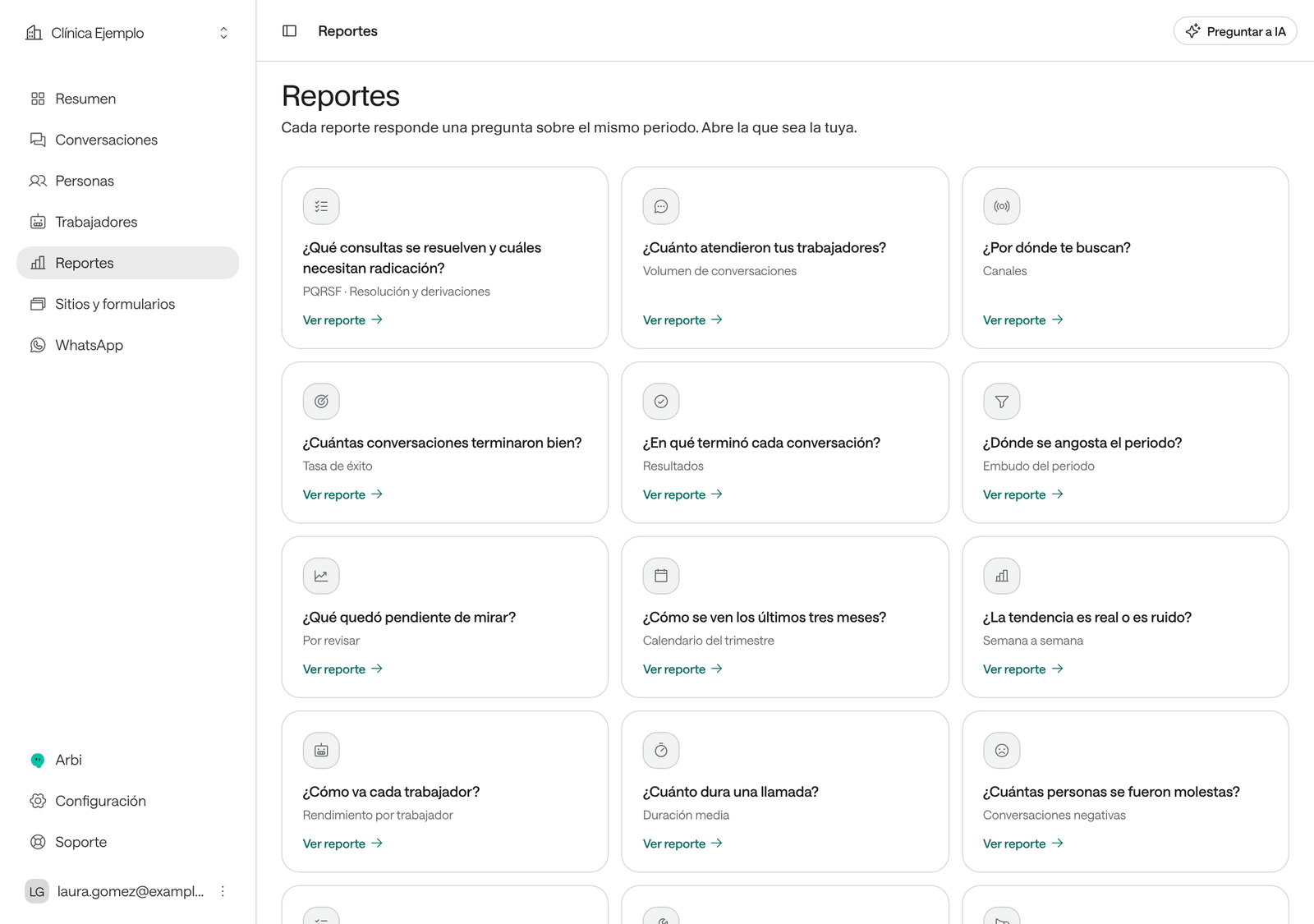
In the menu, click Reports. Each card shows the question the report answers.
-
Click Open report on the card you want.
-
At the top, choose the period: Today, Last 7 days, Last 14 days, Last 30 days, Last 90 days or a Custom range.
-
If you like, filter by Worker or by Channel, when the report allows it.
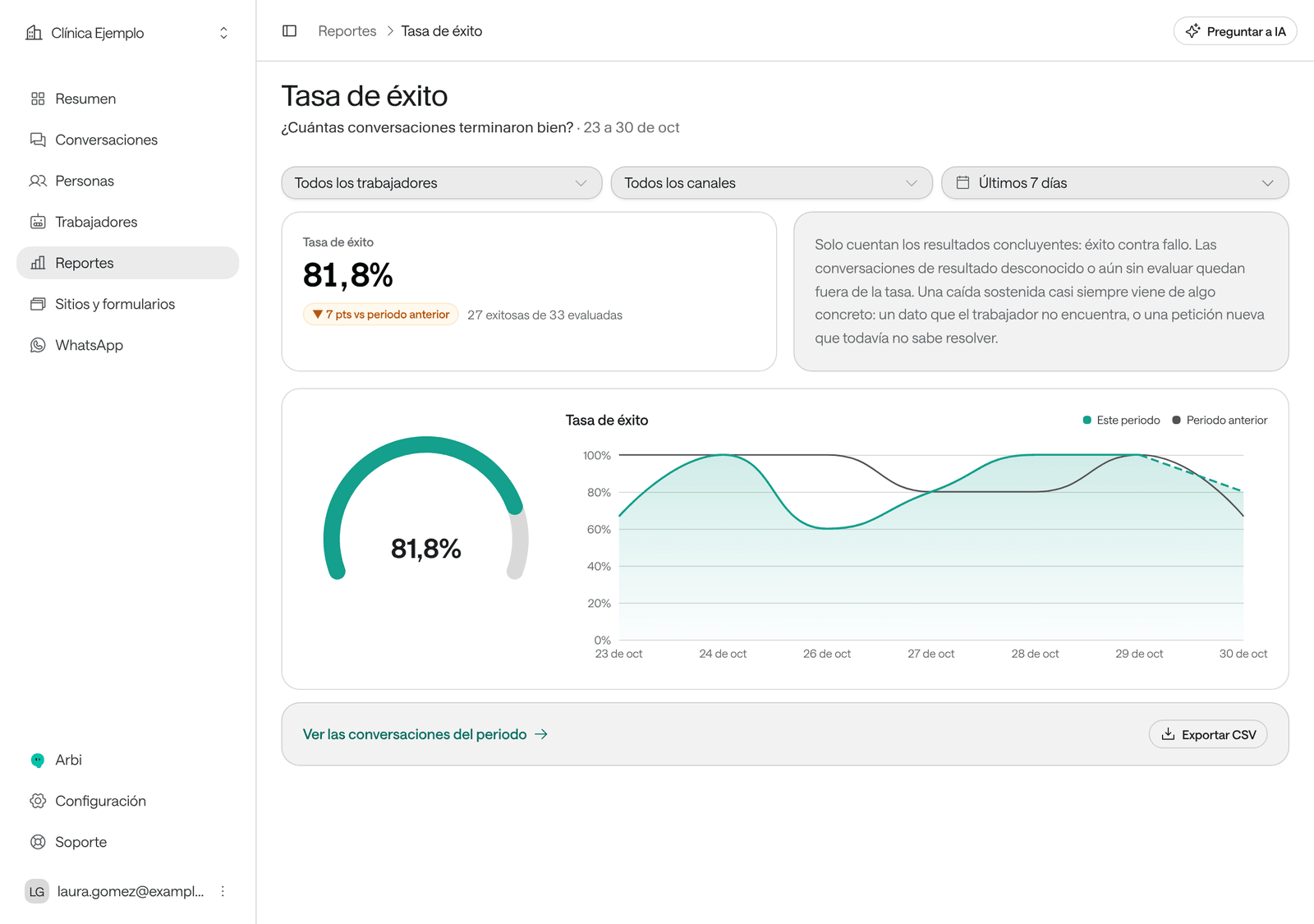
Each report compares This period with the Previous period and explains how to read it. View the period’s conversations opens the conversations list with the same filters.
Which report answers what
| Report | The question |
|---|---|
| Conversation volume | How much did your workers handle? Inbound and outbound. |
| Channels | Where do people reach you? Voice, WhatsApp and web chat. |
| Success rate | How many conversations ended well? Only conclusive outcomes count. |
| Outcomes | How did each conversation end? |
| Period funnel | Where does the period narrow? |
| Needs review | What is still waiting to be looked at? Those the AI escalated to your team or whose evaluation failed. |
| Quarter calendar | What do the last three months look like? Always covers 90 days. |
| Week by week | Is the trend real or just noise? Always covers 12 weeks. |
| Performance by worker | How is each worker doing? |
| Average duration | How long does a call take? |
| Negative conversations | How many people left upset? |
| Assessments | What did the yes-or-no assessments you defined answer? |
| Tools | Are your workers’ tools working? Uses, failures and duration. |
| Campaigns | How are your campaigns going? Shows the current state, whatever the period. |
| PQRSF · Resolution and referrals | Which information requests are resolved and which need filing? |
How the success rate is calculated
The Success rate counts successful conversations out of those with a conclusive outcome (success plus failure). Those with an unknown outcome or not evaluated yet don’t count, nor do test, imported or team-only conversations. That’s why a conversation that just closed can take a few minutes to add up. If the agent has Conversation reports, they decide whether a conversation succeeded, and a change counts only for conversations that close afterwards. All the detail, and how to change what counts as success, in Understand and change the success rate.
Export a report
In the report, click Export CSV. A file downloads with the report’s figures, for the period and filters you chose, ready to open in a spreadsheet.
Ask Arbi for another report
If no report answers your question, the last card, A different question?, lets you Ask Arbi: the assistant builds the report from your conversation data.
Troubleshooting
“This period holds more data than a report can read at once.” The figures are incomplete. Shorten the period or filter by worker.
“There are no yes/no assessments in this period yet.” Create a conversation report in the agent (see Agent settings) and wait for new conversations.
The figures don’t match Overview. Check that the period and filters are the same. Quarter calendar, Week by week and Campaigns don’t use the period you chose.
I don’t see Reports in the menu. Your role doesn’t include seeing reports.