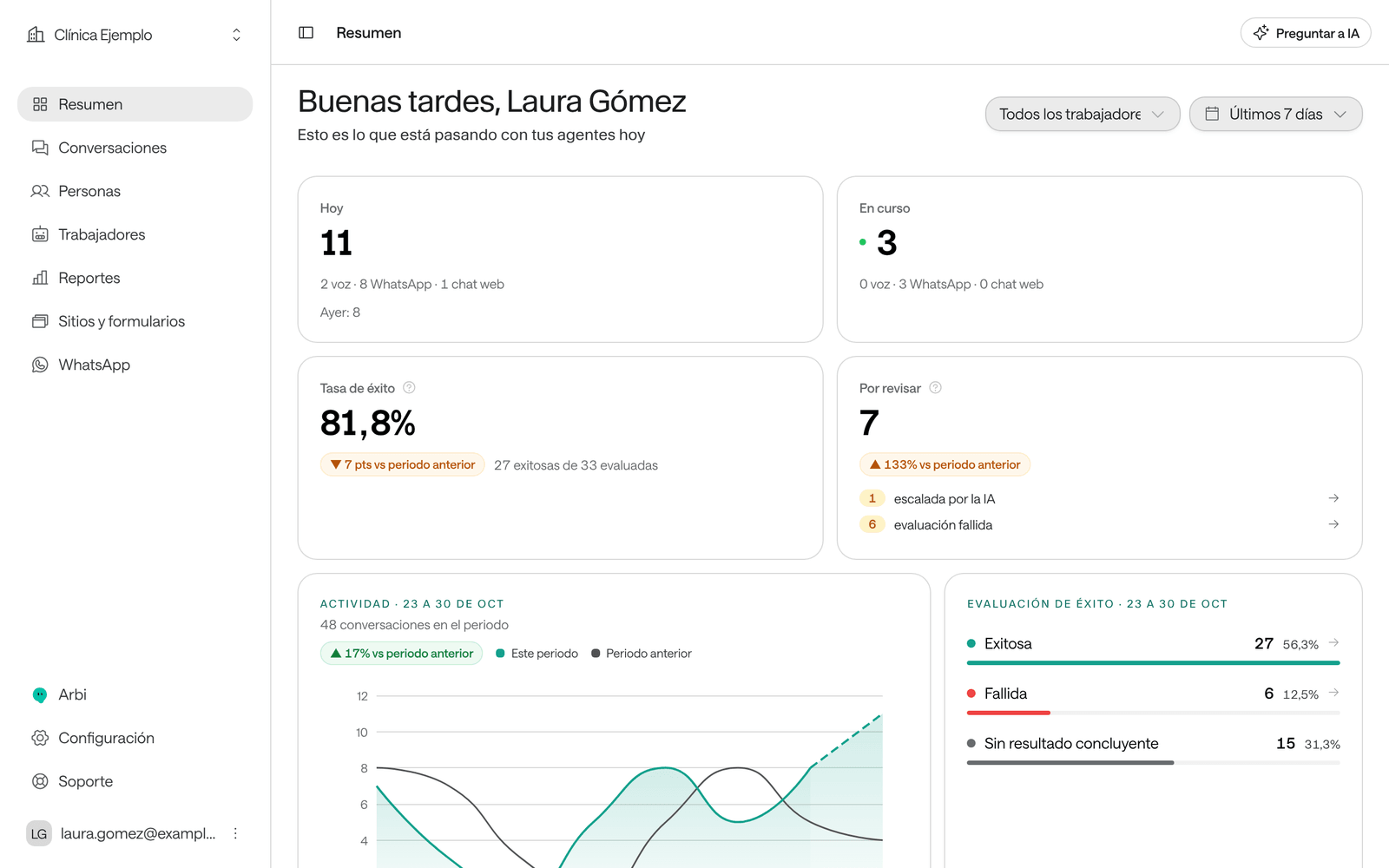
Raíz is Arbol’s product for keeping in touch with every patient. Its AI agents answer calls, reply on WhatsApp and in your website’s chat, follow the instructions you give them, look things up in your documents and hand the conversation to your team when a person is needed. Your team works with Raíz in the Dashboard, at raiz.getarbol.com.
How it works
- Agent: the AI that speaks for your clinic. In the Dashboard menu, agents are called Workers. There are two kinds: voice agents answer and place calls, and messaging agents reply on WhatsApp and in your website’s chat.
- Channel: where patients reach you: a phone number, a WhatsApp number or your website’s chat. Each channel has an assigned agent, which is the one that answers there.
- Conversation: a call or a chat with a person on a channel. Raíz keeps all of it: the messages, the call recording, who answered, a summary and whether the request was resolved.
- Person: the patient or whoever gets in touch, with their phone numbers, emails and identity documents. The Dashboard calls them People; this guide also calls them contacts.
- Knowledge base and bulletins: the documents your agents consult before they answer (services, hours, test preparation) and temporary notices that apply while they last, such as a public holiday.
- Your team: the people in your organization who sign in to the Dashboard. Depending on their role, they follow conversations, handle the ones the AI hands them, get email notices and review reports.
How a conversation flows
-
Someone gets in touch. They call your number, write to you on WhatsApp or open the chat on your website. Your organization can also reach out, for example with a call campaign.
-
The agent answers. The agent assigned to the channel greets them, works out what they need, consults your knowledge base and, if it has tools connected, acts in your systems, such as looking up open slots or booking an appointment.
-
If a person is needed, it goes to your team. On WhatsApp, the agent hands the conversation to your team when it can’t resolve it or when the person asks to talk to someone. The AI stops replying in that conversation and your team gets a notice, if you turned notices on.
-
The conversation closes. A call closes when it ends. A chat closes after a while without messages, or when someone on your team closes it.
-
Raíz analyzes it. When it closes, Raíz gives it a title and a summary, says whether the conversation was a Success, Failure or Unknown (by the request or by the reports you defined; see Success rate), reads the person’s mood and keeps the data and assessments you set up.
Choose what you want to do
Sign in to the Dashboard
Sign in, choose your organization and find your way around the menu.
Create an agent
Decide its job, create it step by step and understand its page.
Write the instructions
What the agent should do, how it greets people and when it hands the case to your team.
What prompting is
How the agent uses its instructions and how to write them well, with examples from a clinic.
Agent settings
Every agent setting, with its default and when to change it.
Voice and audio
How a voice agent handles a call, its voice, recordings and WhatsApp audio.
The agent's tools
What the agent can do in your systems, how to choose its tools and how to ask for a new one.
Test an agent
Test chat, test call and WhatsApp trial before it serves patients.
Give it knowledge
Upload documents and import your website so agents answer with your information.
Channels
What the patient experiences on each channel, assigning agents, WhatsApp hours and profile, and asking for a new number.
Chat on your website
Create your website’s chat or form, publish it and install it.
Follow conversations
Find conversations, read them, listen to calls and download their report.
Handle a WhatsApp conversation
Take over a conversation, give it back to the AI, close it or block a number.
When the patient doesn't answer
Unanswered calls, WhatsApp follow-ups, closing after inactivity and what to do next.
People and the block list
Create, import, correct and merge people, and block numbers.
Improve replies
Correct an agent’s reply and test the improvement before turning it on.
Bulletins, templates and campaigns
Temporary notices for your agents, WhatsApp templates, contact profiles and campaigns.
Reports
Volume, success rate, what’s left to review and more, with CSV export.
Notices and the daily report
Which emails arrive, when, and how to change who gets them.
Organization settings
Name, language, time zone, simultaneous calls, definitions and where everything else lives.
Team and permissions
Invite people and give them roles.
FAQ
Short answers to the most common questions, with a link to each guide.
Success rate
How it’s calculated, why it changes and how you decide what counts as success.
Pause or delete an agent
Stop an agent, keep a number for your team only, pause a conversation or delete the agent.
Calls and audio
Listen to recordings with their transcript, interruptions, response times and voice notes.
Troubleshooting
What to do when something doesn’t work as you expect.
If you connect Raíz to your systems
Everything you do in the Dashboard can also be done through Arbol’s API. The developer pages are at Raíz for developers.