Prompting means telling an AI, in plain words, what to do. In Raíz, what you write is an agent’s instructions. Read this guide before you write or correct an agent’s instructions, especially if you’ve never done it.
Before you start
- To change the instructions you need a role that can Create and tune agents, such as Agent design, Administration or Owner.
- Have at hand what you’d explain to someone new at the front desk: why patients call or write, what can be resolved without help, what always goes to the team and your clinic’s protocol for urgent symptoms.
- Where to write them, step by step, is in Write the instructions.
What instructions are and why they matter
An agent is like someone starting at the front desk today: quick and well-spoken, but they don’t know your clinic. It only knows what you tell it in its instructions, what it finds in the documents of its knowledge base and what the person tells it in the conversation. Your prices, your locations, your rules and the way you look after people aren’t known to it unless they’re written there.
Unlike that new person, the agent can’t stop you in the hallway to ask what to do. If a case isn’t in its instructions, it answers generically. That’s why clear instructions make the difference between an agent that resolves things and one that goes around in circles or promises what it shouldn’t.
How the agent decides what to answer
A message arrives
The patient writes, sends a voice note or speaks.It reads its instructions
And your clinic’s bulletins in force.It searches its knowledge
Only the documents you assigned to it.It uses its tools
If it has any, for example to see open slots.It answers
With what it found, without making things up.Or hands the case to your team
When your criteria call for it.
For every reply, the agent has:
- Its Name and what you wrote under What it should do. It doesn’t read the Description: that’s only for your team.
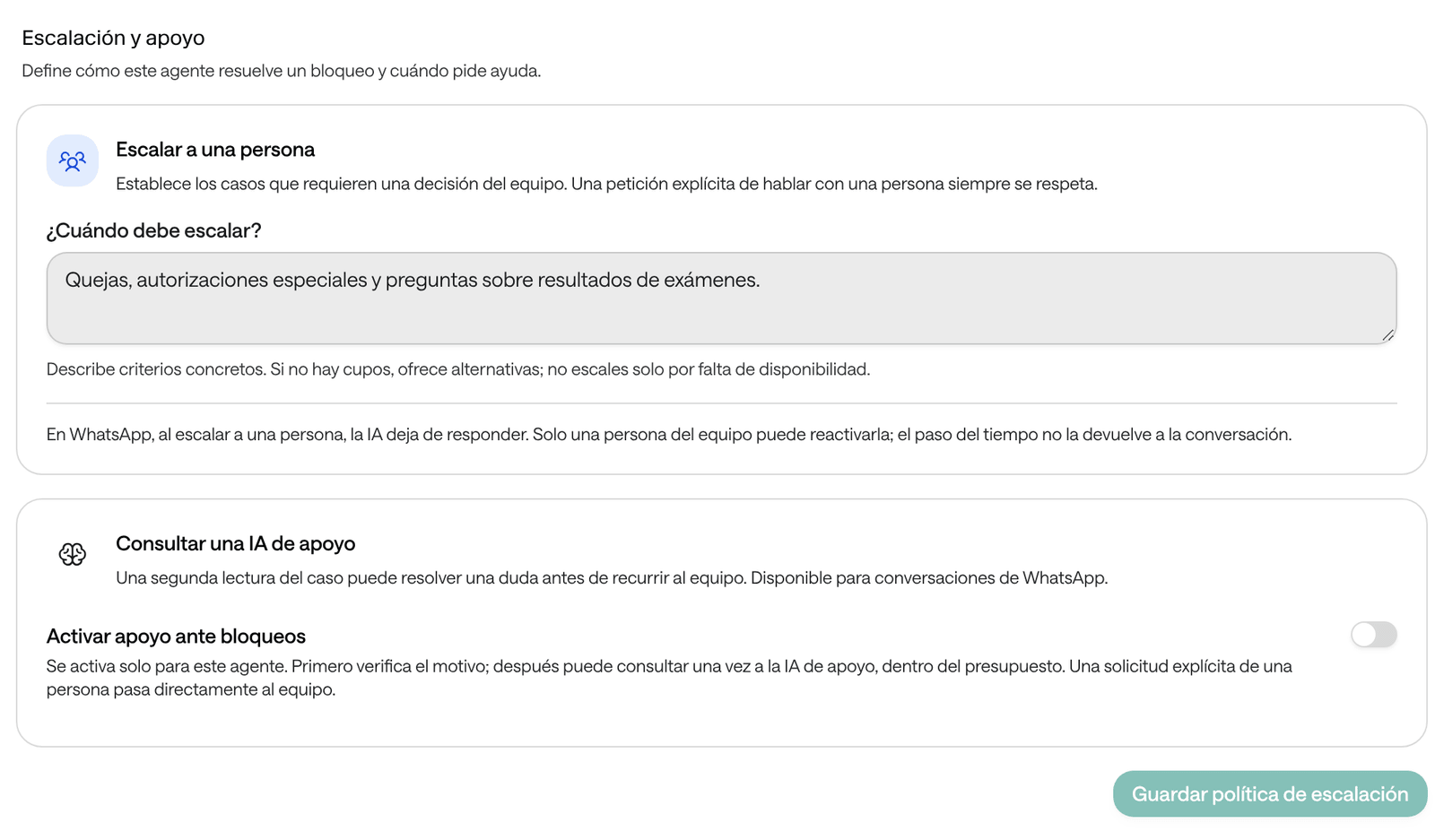
- What you wrote under When should it escalate?, in Escalation and support.
- The bulletins in force.
- The date and time, in the agent’s time zone.
- What’s known about the person: their name and, for messaging agents, the data captured about them and the summary of their earlier conversations.
- The documents and tools you assigned to it, which it consults when the conversation needs them.
Messaging agents already follow some Raíz rules: don’t invent prices, hours or contact details, don’t ask for passwords, card numbers or verification codes, answer in the language the person writes in, and don’t say something was done unless the tool confirmed it. In every agent, a request to talk to a person is always honored. Your instructions are for what’s specific to your clinic.
The parts of good instructions
| Part | What you write | Example |
|---|---|---|
| Who it is | Its role. It’s the clinic’s assistant, not a doctor or a nurse. | “You are Sofía, Example Clinic’s virtual assistant.” |
| Who it serves | Who writes or calls, and what for. | “You look after patients and relatives who ask for appointments or ask about services and locations.” |
| What it must do | What it resolves, step by step. | “To book, confirm the full name and ID document before offering slots.” |
| What it must never do | Its limits, starting with clinical ones. | “You don’t diagnose, recommend medication or interpret results.” |
| When it hands the case to your team | Concrete cases and what to say meanwhile. | “Complaints, special authorizations and questions about results.” |
| Tone | How it speaks. | “Address the person formally. Short sentences, one question at a time.” |
A complete example for a fictional clinic. Write your instructions in the language your patients use; this one is in English so you can read it:
You are Sofía, Example Clinic's virtual assistant. You are not a doctor or a nurse.

Who you serve
Patients and relatives who write to book, change or cancel appointments, or to ask about services, locations and how to prepare for tests.

What you do
- Answer with the information in your documents. If something isn't there, say so and offer to have the team confirm it.
- To book: ask which service they need and at which location, confirm the full name and ID document, offer the available slots and repeat service, date, time and location before confirming. Only say the appointment is booked when the system confirms it.
- To change or cancel an appointment: first confirm which appointment it is.

What you never do
- You don't diagnose, recommend medication or doses, or interpret symptoms or results. If asked, explain that a professional must assess it and offer an appointment.
- You don't promise prices, discounts, authorizations or slots you haven't confirmed.

Emergencies
If the person describes any of these signs: [warning signs from your clinic's protocol], stop what you're doing. Tell them right away to go to the emergency room or call [the line your protocol names], and hand the case to the team.

When you hand the case to the team
Complaints, requests for special authorizations and questions about test results. First, finish what you can resolve.

Tone
Address the person formally. Short sentences, no jargon, one question at a time.
The cases for handing over to the team are also written under When should it escalate?. Write each rule in one place only, so they don’t contradict each other.
Examples: avoid and better
Booking an appointment
Avoid
Book appointments for patients who ask.
Better
To book:
1. Ask which service they need and at which location.
2. Confirm the full name and ID document number.
3. Offer up to three available slots.
4. Repeat service, date, time and location, and ask them to confirm.
5. Only say the appointment is booked when the system confirms it.
To actually book, the agent needs a tool for your schedule (see Agent settings). If it doesn’t have one, write what it should do instead, such as taking the details and handing the case to the team.
Prices
Avoid
A consultation costs $80,000.
Better
Only give prices from the "Rates (example)" document, with the service and the type of patient they apply to. One service's price doesn't apply to another. If the price isn't there, say so and offer to have the team confirm it. Don't offer discounts.A price written in the instructions goes out of date and gets applied to everything. The price list belongs in the knowledge base.
Symptoms: never clinical advice
Avoid
If the patient has symptoms, guide them and recommend what to do.
Better
You don't diagnose, recommend medication or doses, or interpret symptoms. If the person describes a symptom, don't assess it: offer an appointment with the right professional.
If they describe any of these signs: [warning signs from your clinic's protocol], tell them right away to go to the emergency room or call [the line your protocol names], and hand the case to the team.Handing the case to your team
Avoid
Hand over to a human when needed.
Better
Hand the case to the team when: there's a complaint, they ask for a special authorization, they ask about test results or the person asks to talk to someone. First, finish what you can, such as taking the name and the reason.
If there are no slots, offer other dates or another location; don't hand the case over just for that.
Outside opening hours
Avoid
Don’t serve people outside opening hours.
Better
The team works Monday to Friday from 7:00 a.m. to 5:00 p.m. If someone needs a person outside those hours, explain that the team will review their case during the next opening hours and hand the case over. Don't promise a response time.The agent knows the time, but not your hours unless you tell it. If you’d rather the AI not answer on WhatsApp outside opening hours, don’t write it in the instructions: set the number’s hours in Channels. Outside those hours the agent doesn’t answer and the person gets a notice.
What goes in the instructions and what goes in the knowledge base
| What | Where | Example |
|---|---|---|
| How it behaves, what it does, its limits and when it hands the case over | The instructions, under What it should do | “You don’t diagnose.” |
| Facts to look up: services, prices, locations, hours, test preparation, agreements, FAQs | The knowledge base | A “Preparing for lab tests” document |
| Something that changes for a few days | A bulletin | “Monday the 12th is a holiday and there are no appointments.” |
| A long procedure for a single task, in messaging agents | A skill (see Agent settings) | “check-schedule” |
| The greeting, WhatsApp hours, the follow-up and the tools | The agent’s or the channel’s settings | Greeting, Hours, Chat behavior |
A rule of thumb: if it’s a way of acting, it goes in the instructions; if it’s a fact someone would look up in a document, it goes in the knowledge base. Each fact in one place only: if a price is in the instructions and in a document, when you change one the agent may give the other. Remember that the agent only consults documents assigned to it that are Indexed and Available to agents.
Test and improve
- Prepare 8 to 10 messages like the ones your patients send. For example:
- “Hi, I need a general practice appointment tomorrow morning.”
- “How much is an ultrasound?”
- “I’ve had a headache since yesterday, what should I take?”
- One of the warning signs in your protocol.
- “I want to talk to a person.”
- A question your instructions don’t cover.
- Try them in the test chat or with a test call (see Test an agent). Use fictional data: the tools really run.
- Open the test conversation in Conversations and check which tools it used and whether it consulted the knowledge base.
- If a reply doesn’t work for you, change one thing in the instructions and try the same message again.
- Once the agent serves patients, review its conversations. For messaging agents, use Improve response to correct a reply and test the improvement before turning it on (see Improve replies).
Common mistakes
- Vague instructions. “Be kind and help patients” doesn’t tell it what to do. Write concrete actions, in order.
- Everything in the instructions. Price and service lists belong in the knowledge base. The instructions have a character limit and become hard to maintain.
- Rules that contradict each other. “Always book” in one paragraph and “don’t book without authorization” in another. When a policy changes, delete the old one.
- Asking for what it can’t do. Writing “if they don’t answer, write to them tomorrow” schedules nothing: the follow-up is a setting (see When the patient doesn’t answer). Nor can it book without a scheduling tool or transfer a call.
- Promising results. Advertising phrases like “painless” or “guaranteed results” become promises to every patient.
- Real patient data in the instructions or the examples. Use fictional names.
- Changing many things at once. If something gets worse, you won’t know what caused it.
Before it serves patients
- It says who it is, who it serves and that it isn’t a health professional.
- It says what it resolves on its own and, if it books, with which steps.
- It says it doesn’t diagnose, recommend medication or doses, or interpret symptoms or results.
- It says what to do with the warning signs in your protocol and which line to send the person to.
- When should it escalate? has concrete cases.
- Long facts are in the knowledge base and assigned to the agent.
- The greeting is written.
- You tested it with fictional messages, including an urgent one, an unexpected one and one asking to talk to a person.
- There’s no real patient data in any text.