If you see patients, whoever manages Agenda at your organization gives you the Profesional role and assigns you your agenda. Then, when you sign in, you see your own appointments first, and you have a page with your hours, your services and your appointments.
Before you start
- You need the Profesional role, and someone with Administración must have assigned you your agenda in Equipo y permisos (see Who can do what).
- To check, click your account button at the bottom of the menu (it has your initials and your email): it should say Tu acceso: Profesional (your access) and the name of your agenda.
See your day’s appointments
-
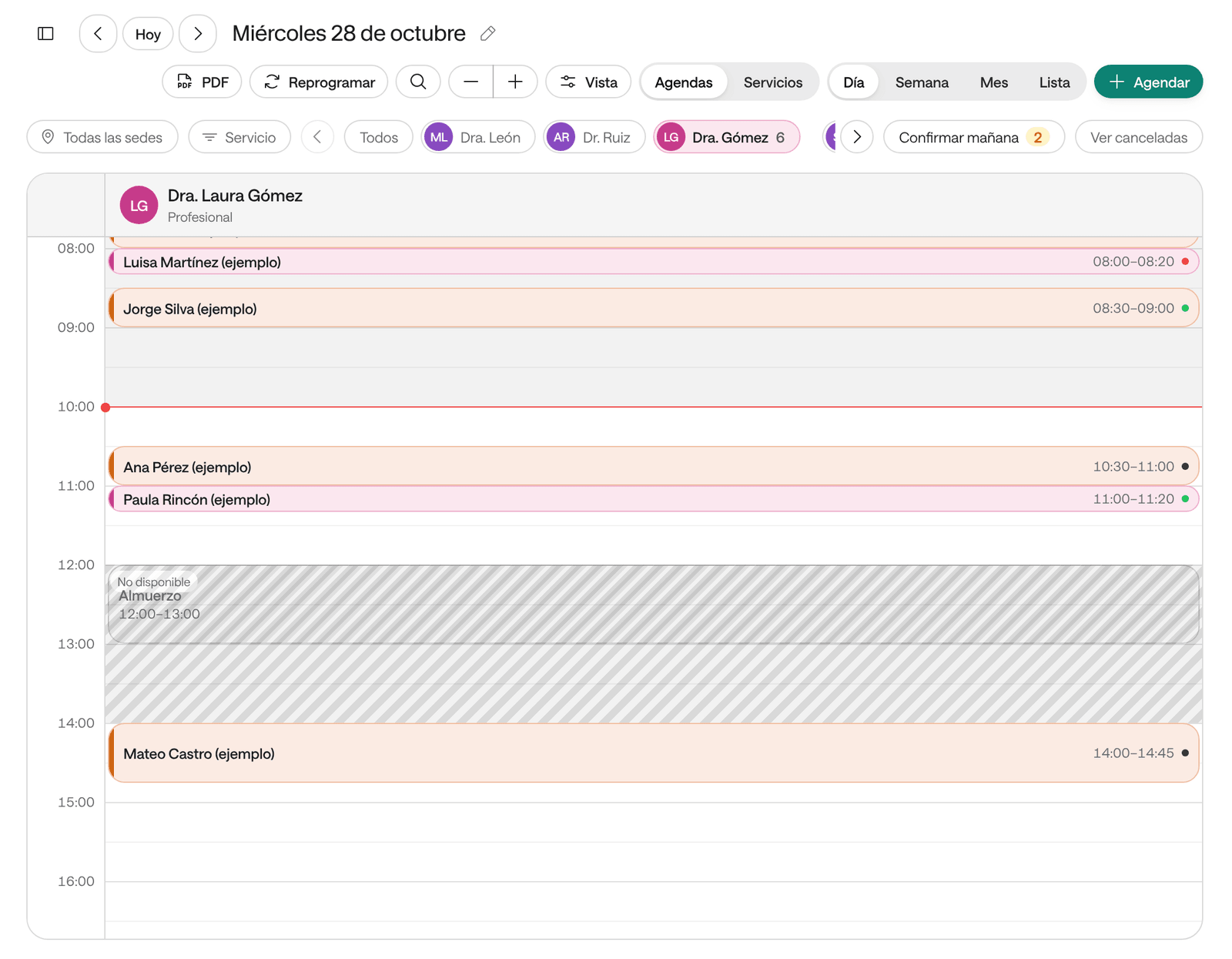
Open Agenda. The Agenda opens on your agenda: the button with your agenda’s name, above the board, is selected.
-
Click an appointment to open it: you see the patient, the service, the notes, the documents and the history.
-
As the day goes on, use Registrar llegada (check in) and Marcar atendida (mark as seen) (see Confirm, check in and mark as seen).
To see the other professionals, click Todos (all). If you come back to the agenda from another page, you’ll find it as you left it.
Your page: Mi agenda
In the menu, click Mi agenda (my agenda). Your page has three sections:
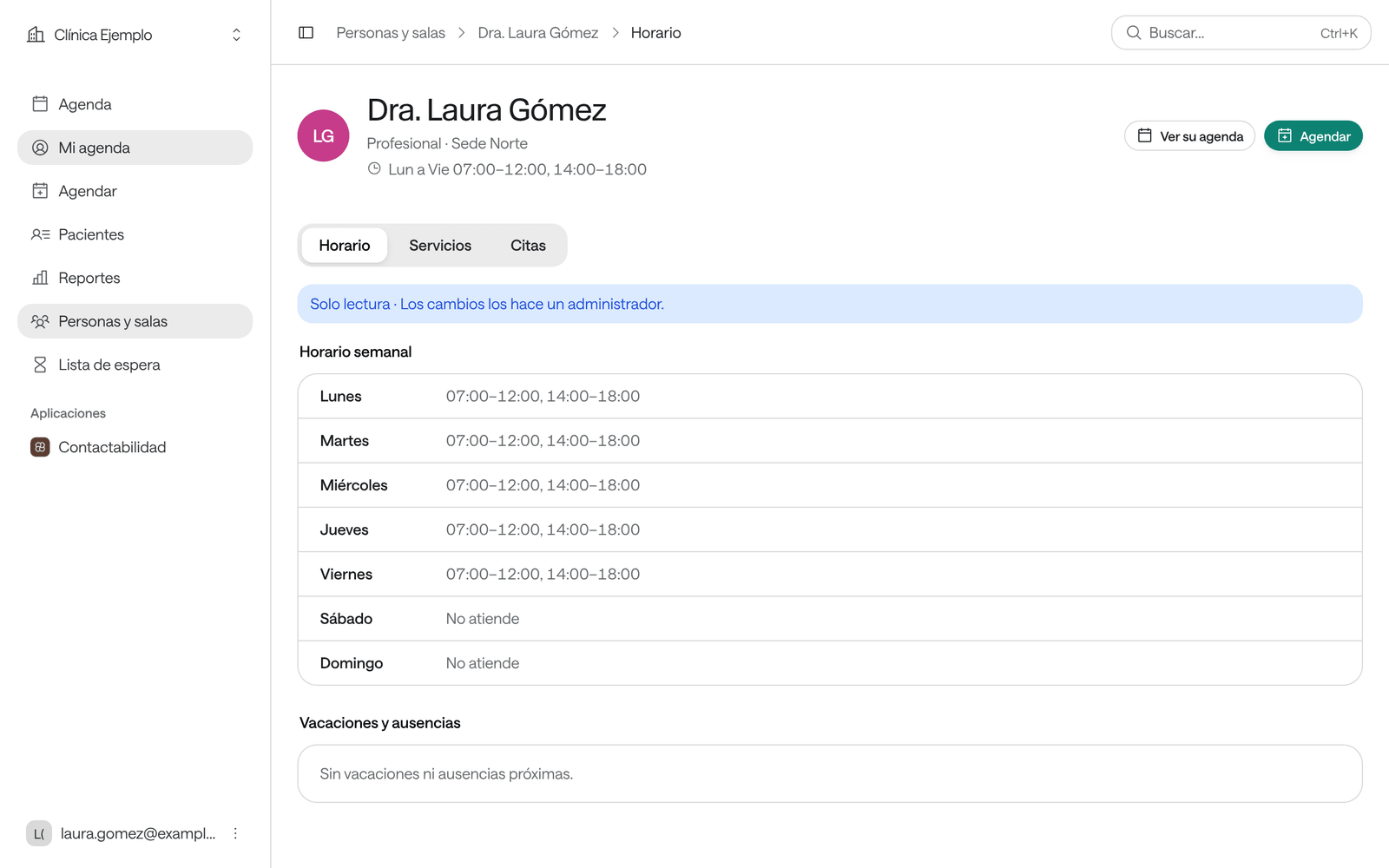
- Horario (hours): the days and times you work, your days with special hours, and your vacations and absences.
- Servicios (services): the services that can be booked with you.
- Citas (appointments): your Próximas (upcoming) and Anteriores (past) appointments, with filters by status (Por atender to be seen, Atendidas seen, No asistió no-show, Canceladas cancelled), service and site. Exportar (export) downloads them as a spreadsheet.
You see your hours and services as Solo lectura (read only): someone with Administración changes them. If something’s wrong, for example a missing absence, ask them.
At the top are Ver su agenda (see their agenda), which opens the agenda on your column, and Agendar (book), which books with your agenda already chosen.
Book with your agenda
When you click Agendar, your agenda is already chosen in the list of professionals. You can change it to Todos los profesionales (all professionals) if the patient needs someone else.
What else you can do
The Profesional role can do the same as Recepción across the whole organization, not just on your agenda: book, reschedule and cancel any professional’s appointments, register and edit patients, and write notes and upload files. Having your own agenda only changes what you see first.
Common problems
You don’t see Mi agenda in the menu. Nobody has assigned you your agenda. Ask someone with Administración to do it in Equipo y permisos, under Es la agenda de… (is the agenda of…). If you were given the role recently, sign out and sign back in.
Your hours are wrong or an absence is missing. Only Administración changes hours. Ask them; once they change it, your agenda stops offering slots during that time.
You still have appointments during an absence. In Mi agenda › Horario, below the absences, Citas durante la ausencia (appointments during the absence) appears: from there they’re rescheduled or cancelled, and the list of patients to call is copied.