Open Arbi when you want to ask something about your work without looking for it screen by screen. It’s in every Arbol app, and your conversations wait for you in its History.
Before you start
- Sign in with your Arbol account in the app you work in.
- Your role must include Arbi. If you don’t see it, ask whoever manages Arbol in your organization.
- Arbi works in the organization you signed in to. To ask about another one, switch organization in the app.
In Raíz
In Raíz, Arbi opens as a panel beside the page, or on its own page.
-
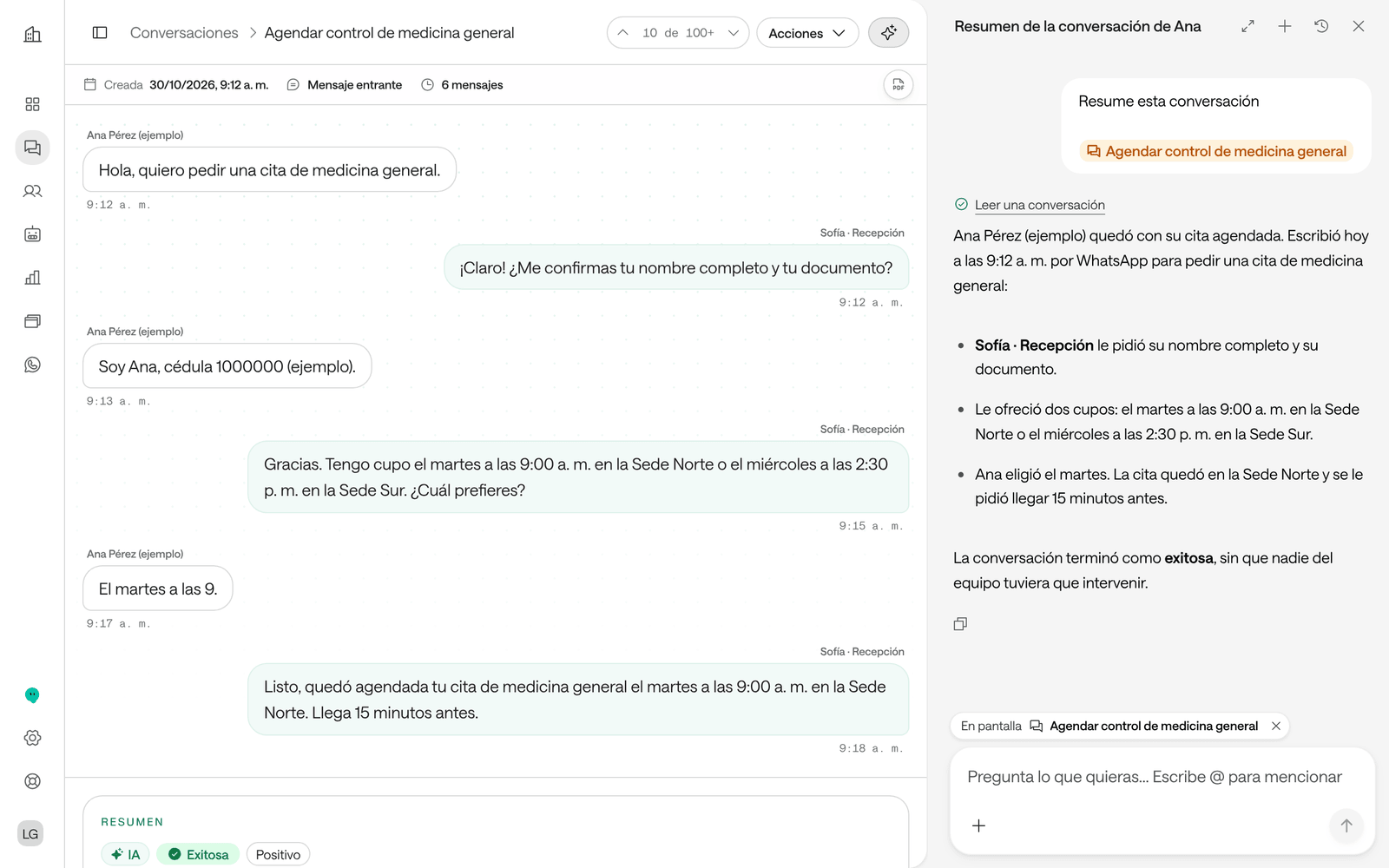
On any page, click Ask AI, in the bar at the top. Arbi opens beside the page. On a phone it takes the whole screen.
-
If you’re looking at an agent, a person, a conversation or a report, Arbi shows it above the message box with the label On screen. What you write refers to it, so “summarize this conversation” is enough. To leave it out, click the X on the chip.
-
Type your question and press Enter.
-
To see it larger, click Open full screen. To close it, click Close Arbi. You can change the panel’s width by dragging its edge.
Its full page is in the menu: click Arbi, at the foot, next to Settings. Back returns you to the page you were on, with the conversation open in the panel.
Raíz also takes you to Arbi from other screens:
- In Reports, the A different question? card has Ask Arbi, to ask for a report that isn’t on the list.
- In Sites and forms, Create with Arbi builds a chat or a form for your website.
- On an agent’s page, the actions menu has Ask AI.
In Agenda and Account
-
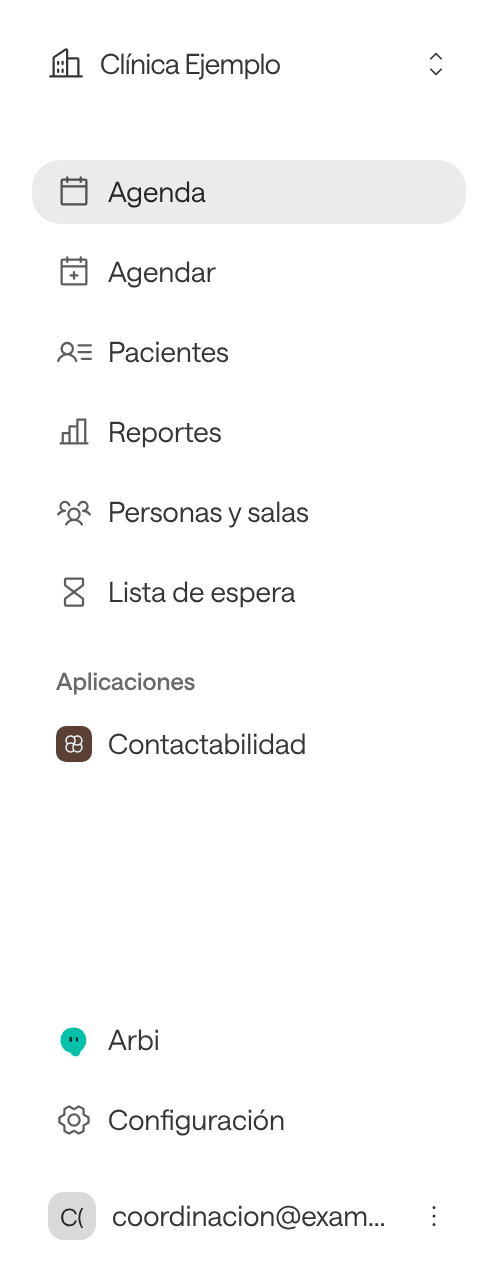
At the foot of the menu, click Arbi. In Agenda you can also press Ctrl + K and search for “Arbi”.
-
Type your question and press Enter.
In Agenda and Account, Arbi opens on its own page. Volver (back) in Agenda, or Back in Account, returns you to where you were. In Agenda, Arbi’s screens are in Spanish.
In Ámbar
In Ámbar, Arbi is the app’s assistant, with its own history and its own memory. You open it in several ways:
- Preguntar a Arbi (ask Arbi), at the top of the app. On narrow screens the button just says Arbi.
- The ? next to each page’s title asks it what that page is for.
- Preguntar a Arbi on an indicator asks it to explain the indicator, and Gestionar con Arbi (handle with Arbi) on a follow-up asks it to go through it with you.
Its page has, on the left, Nueva conversación (new conversation), Buscar (search), Lo que Arbi recuerda (what Arbi remembers), Tareas de Arbi (Arbi’s tasks) and your conversations from Hoy (today) and Anteriores (earlier).
Write to it
- Enter sends the message and Shift + Enter starts a new line.
- While Arbi answers, you see Thinking… and each lookup it makes in your apps. Click one to see what it asked for and what the app returned.
- In Raíz, type @ to mention an agent, a channel, a person, a conversation or a report.
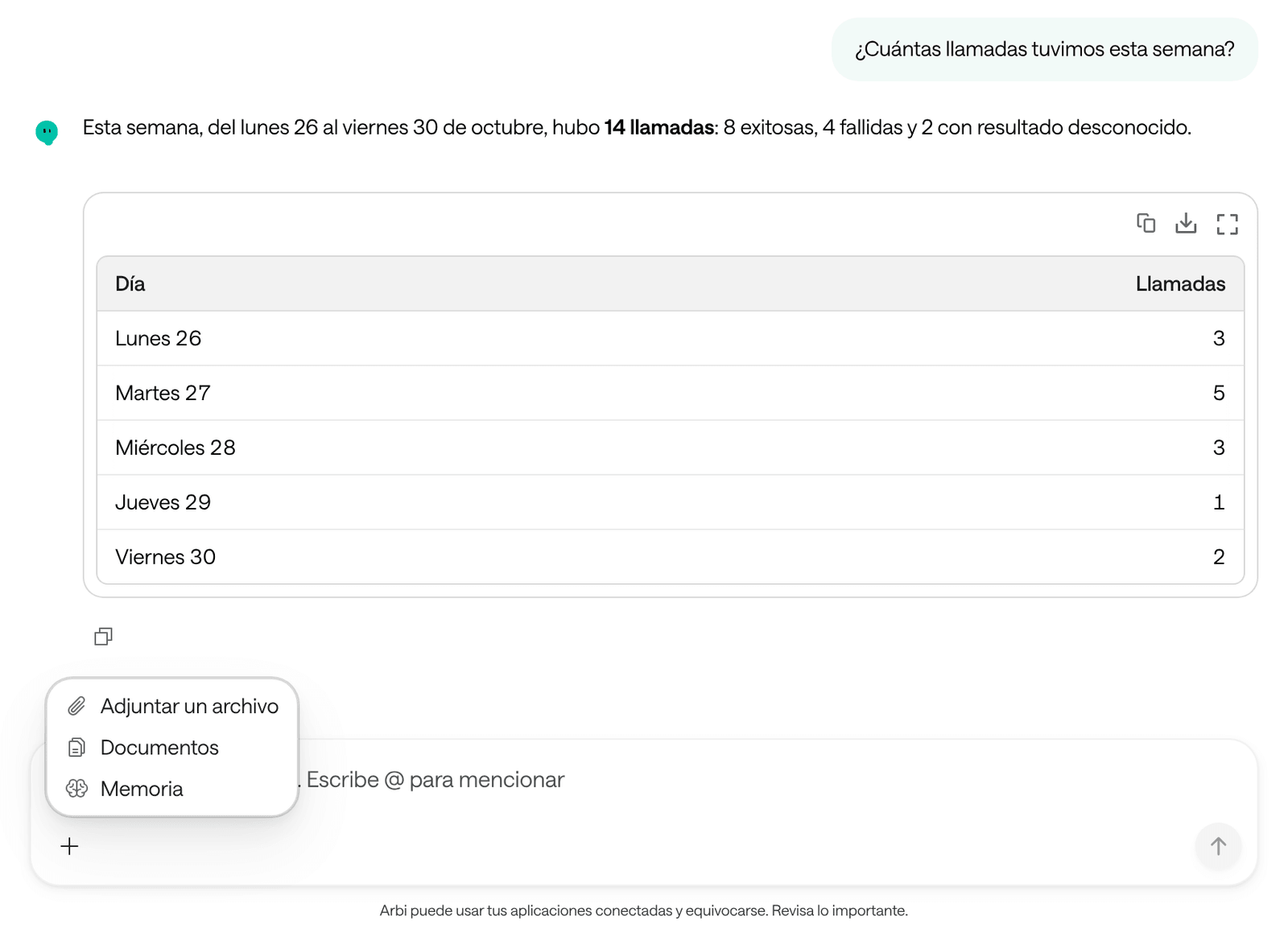
- The + button (More options), next to the box, has Attach a file, Documents and Memory. See Notes and documents.
If you close the tab or lose your connection while Arbi is answering, the answer isn’t lost: Arbi keeps working. When you come back you see Reconnecting to Arbi… and the conversation completes on its own.
Go back to a conversation
- History shows your Recent conversations. In Raíz’s panel, See all conversations opens Arbi’s page; there, History opens the full list, Chat history.
- New conversation starts a blank one. One per topic works best: Arbi keeps in mind everything said in the same conversation.
- To rename it, click its name at the top. Type the new one in Rename conversation and click Save.
- To delete it, hover over it in the history, click the trash icon and confirm with Delete conversation. It can’t be undone. The files you saved in Documents stay there until you delete them.
Your conversations with Arbi are yours: nobody else in your organization sees them. The ones you had on WhatsApp are kept too.
Troubleshooting
I don't see Arbi or Ask AI
Your role in this organization doesn’t include Arbi.
What to do: ask whoever manages Arbol in your organization for a role with Arbi. If you work in several organizations, check that you’re in the right one.
Arbi doesn't know which page I mean
Arbi only takes as context the page beside its panel, and only in Raíz.
What to do: check that On screen shows above the message box, or mention the record with @. On its full page, say the name of the agent, the person or the conversation.
More cases in Troubleshooting.