Do this at the start of your shift: Inicio (home) tells you what’s urgent today and Mi trabajo (my work) gathers your work lists.
Before you start
- You need access to your organization’s patients in Ámbar. What you see depends on that access: whoever administers care sees every list and the tools to share out the work; with clinical access, Ámbar opens straight on Mi trabajo (my work).
- Assigning owners and changing deadlines is for whoever administers care. With Ver como (view as) they can see Ámbar as a profile sees it, for example Gestión de enfermería (nursing case management) or Coordinación (coordination), without changing their permissions.
Steps
-
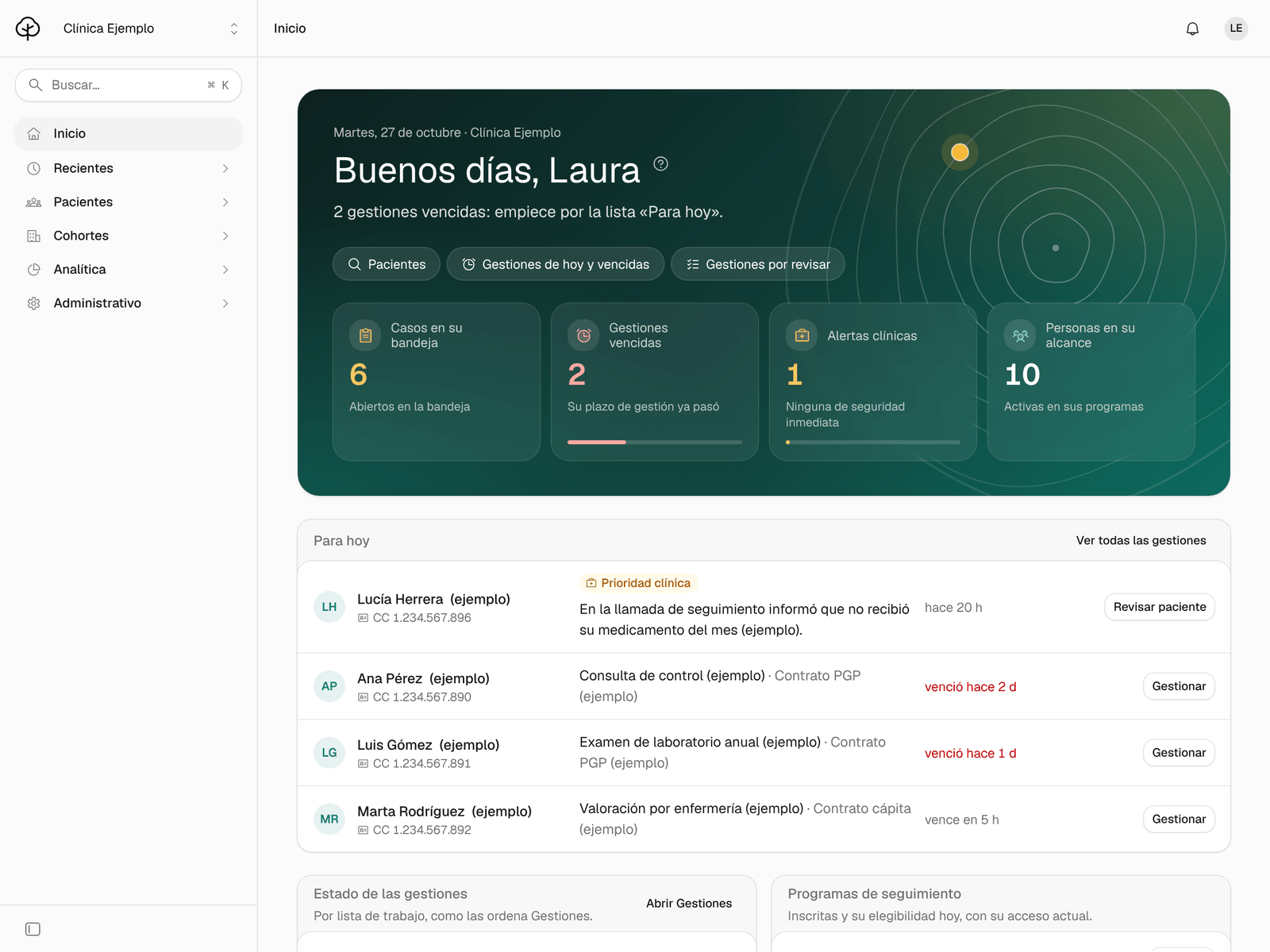
Sign in to Ámbar. If you administer care, Inicio (home) opens, with a greeting, your figures and your shortcuts; each figure opens its list. With clinical access, Ámbar opens straight on Mi trabajo: continue at step 3.
-
Check Para hoy (for today): open clinical alerts, with Revisar paciente (review patient), and follow-ups that are due, with Gestionar (manage). If there are more, Ver todas las gestiones (see all follow-ups) opens the full list.
-
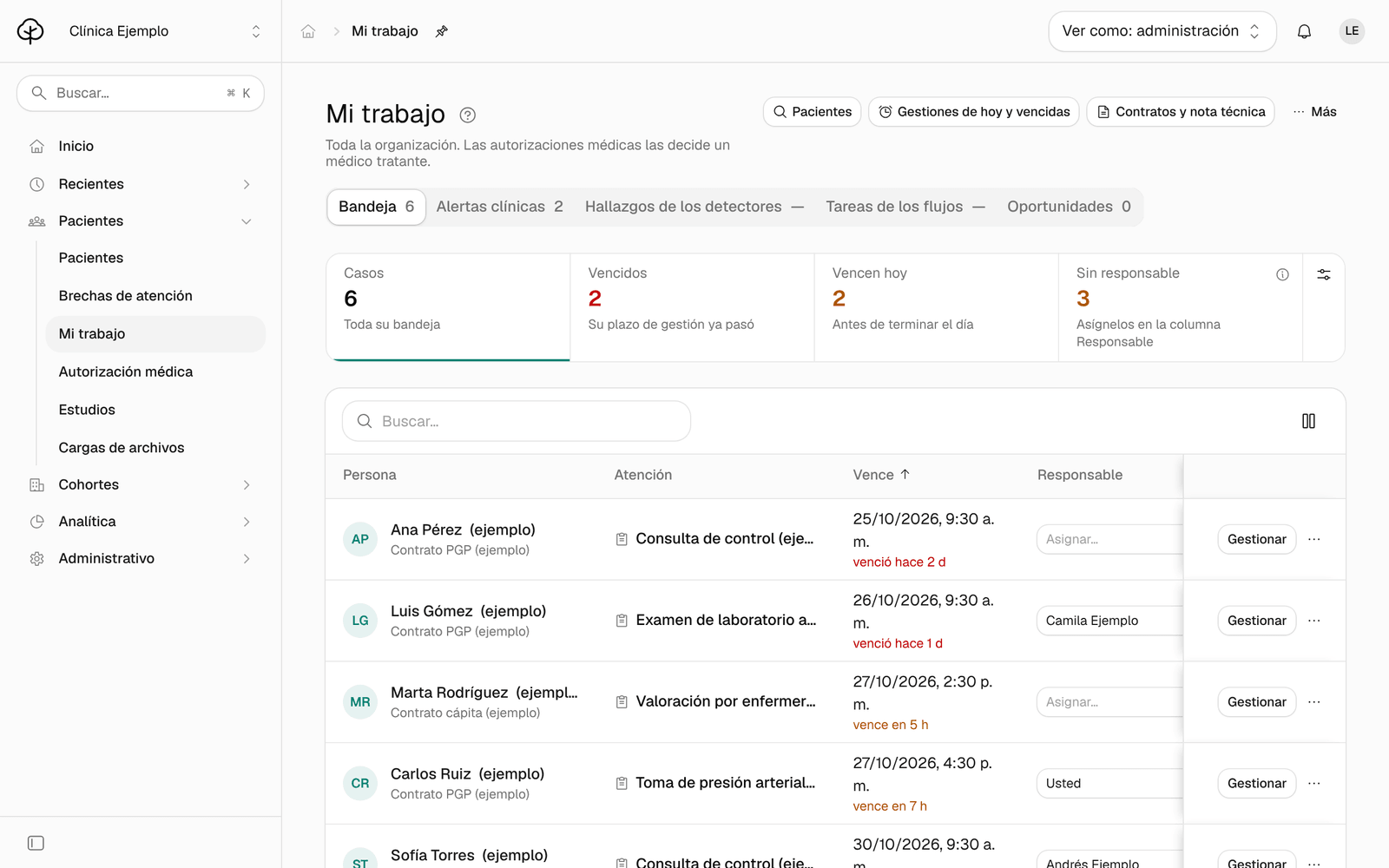
In the menu, click Mi trabajo. At the top you see your lists as tabs: Bandeja (inbox), Alertas clínicas (clinical alerts) and Oportunidades (missing-availability reports), plus others depending on what your organization uses, such as Hallazgos de los detectores (detector findings) or Tareas de los flujos (workflow tasks).
-
In Bandeja, click a figure to filter: Vencidos (overdue), Vencen hoy (due today) or Sin responsable (no owner). Click Casos (cases) to see the whole inbox again.
-
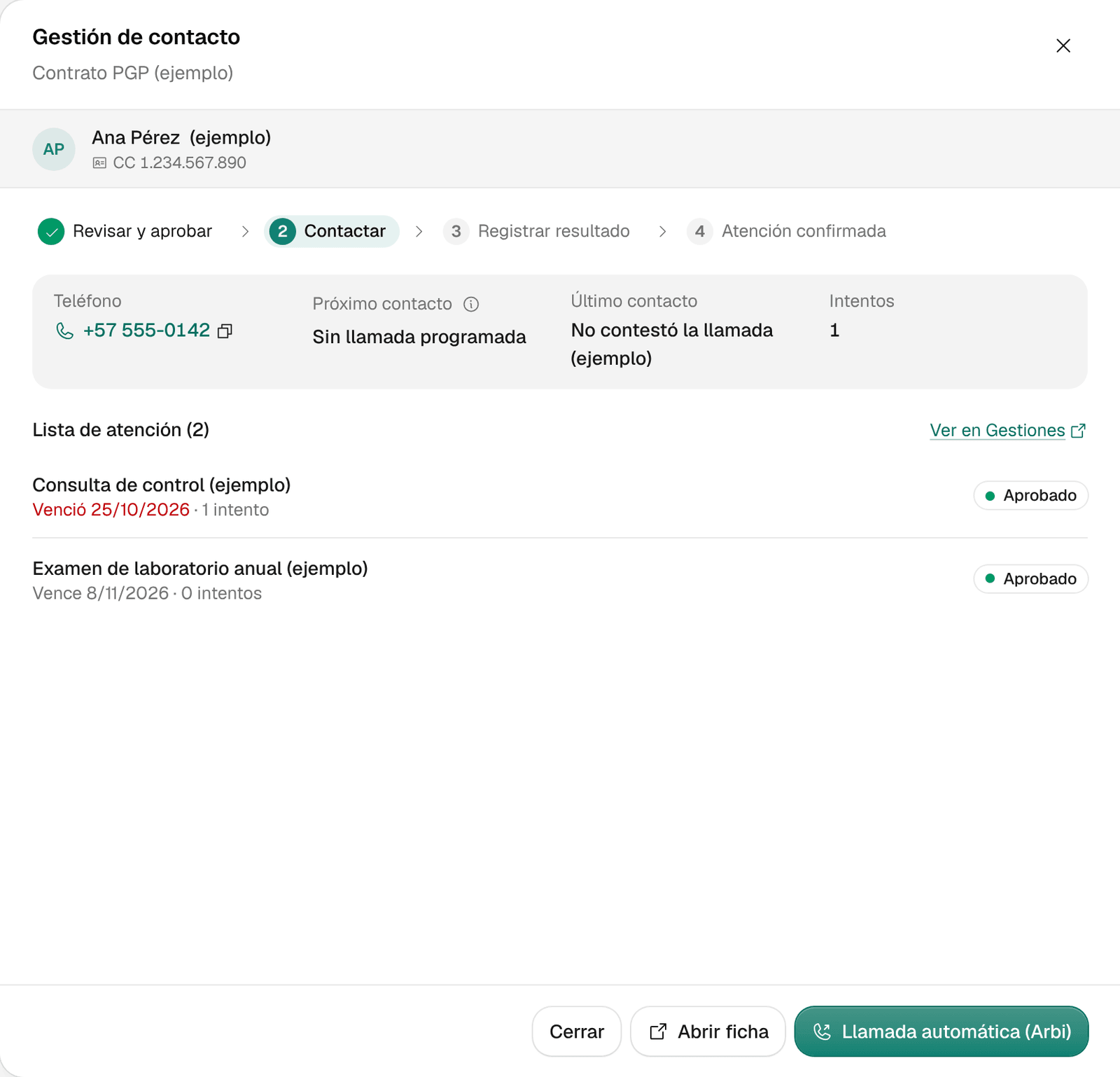
In a person’s row, click Gestionar. Gestión de contacto (contact follow-up) opens with their phone, last contact, attempts and pending care with its dates.
-
From there, click Abrir ficha (open record) to see the whole person, or Revisar y aprobar (review and approve) to approve their contact in Gestiones (follow-ups). With several items to approve, the button says Revisar N atenciones (review N items). If the person already has an approved contact, instead of that button you see Llamada automática (Arbi) (automatic call), which is enabled when your organization has an agent set up and the person has a valid phone number.
-
If you administer care, assign the cases with no owner: in the Responsable (owner) column, open Asignar… (assign) and choose someone on the team. To change the deadline, open Más acciones (more actions, the three dots) and choose Cambiar plazo de gestión (change follow-up deadline).
-
Open the Alertas clínicas tab. Alerts go from most to least severe: Seguridad inmediata (immediate safety), Prioridad clínica (clinical priority) and Seguimiento (follow-up). Click Revisar paciente to open the person’s record.
Report missing appointment availability
If the clinic has no availability for a service a person needs, record it so coordination can handle it:
-
In Bandeja, open Más acciones in the person’s row and choose Reportar falta de agenda (report missing availability).
-
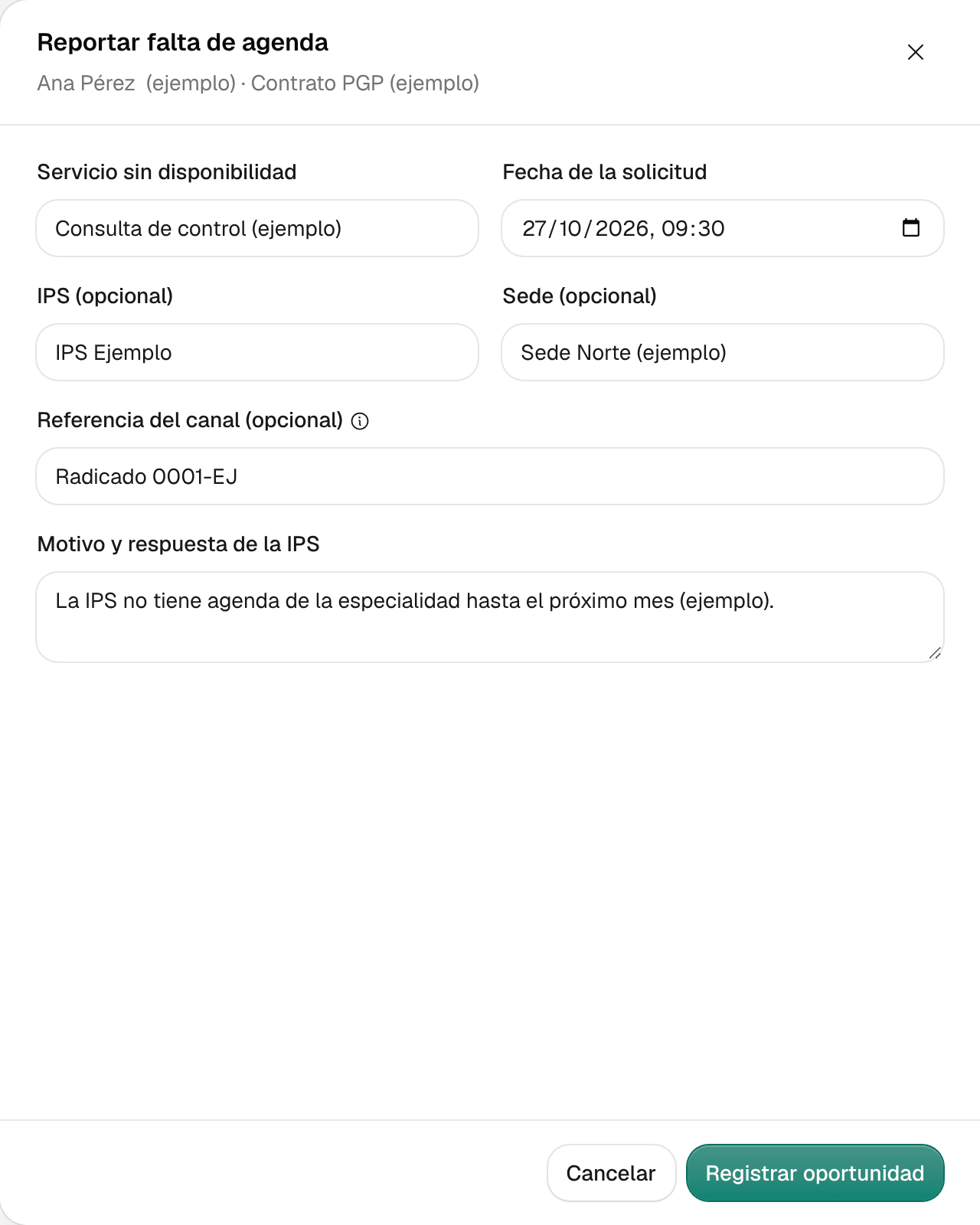
Fill in Servicio sin disponibilidad (service without availability), Fecha de la solicitud (request date) and Motivo y respuesta de la IPS (reason and the clinic’s answer). If you have them, add IPS (opcional) (clinic), Sede (opcional) (site) and Referencia del canal (opcional) (channel reference), such as the filing number or the email you made the request with.
Example (fictional): «La IPS no tiene agenda de la especialidad hasta el próximo mes» (the clinic has no availability in the specialty until next month).
-
Click Registrar oportunidad (record report). Ámbar confirms with Reporte registrado para el líder de cohorte (report recorded for the cohort lead) and the report shows up in the Oportunidades tab.
Recording the report sends nothing to the clinic: it only records the request and its answer.
What you see when you’re done
Your inbox shows what’s overdue and due today first, each case with its owner, and open alerts are sorted by severity. At the bottom of Mi trabajo, collapsed, is Su alcance (your scope): the contracts and programs you can see.
Common problems
- Mi trabajo says «Perfil pendiente» (profile pending). Your account doesn’t have a care profile yet. Ask your administrator to assign you a profile and its scope (program, site or institution).
- Inicio says «Su acceso no incluye información clínica» (your access doesn’t include clinical information). Your session can’t read patients, follow-ups or alerts. Click Volver a comprobar (check again) after your administrator reviews your role.
- A figure shows “+”. There are more than were loaded; open the list to keep going.
- I don’t see names in Inicio. The Calidad y análisis and Auditoría profiles see figures and dashboards, not the list of people.