A follow-up (gestión) is the follow-up of one person under one contract: their pending care, the contact your team approves and what they answered. Work through follow-ups when a program proposes contacting someone or when a follow-up falls due.
Before you start
- To record results and take follow-ups you need a role that allows Actualizar información y gestiones (update information and follow-ups).
- To approve a contact you also need Autorizar y enviar comunicaciones (authorize and send communications).
- Llamada automática (Arbi) (automatic call) is only enabled if your organization has an agent set up by the Arbol team and the person has a valid phone number.
Steps
-
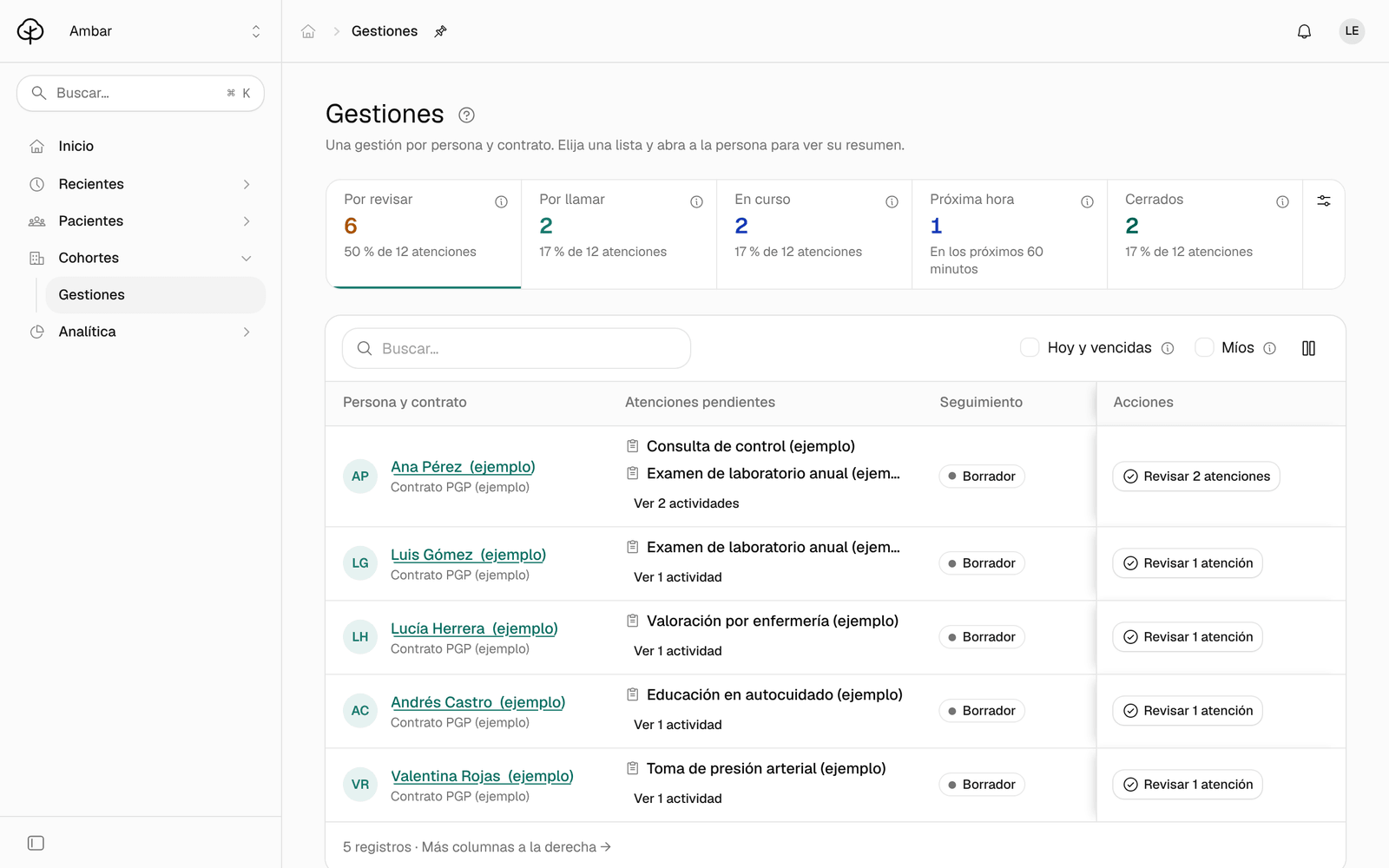
In the menu, click Gestiones (follow-ups). At the top you see the lists with their counts: Por revisar (to review), Por llamar (to call), En curso (in progress), Próxima hora (next hour) and Cerrados (closed), plus Críticos (critical) when a program sets response hours or a critical result arrives.
-
Click Por revisar. These are new cases waiting for a decision before anyone contacts the person. To see fewer, check Hoy y vencidas (today and overdue) or Míos (mine).
-
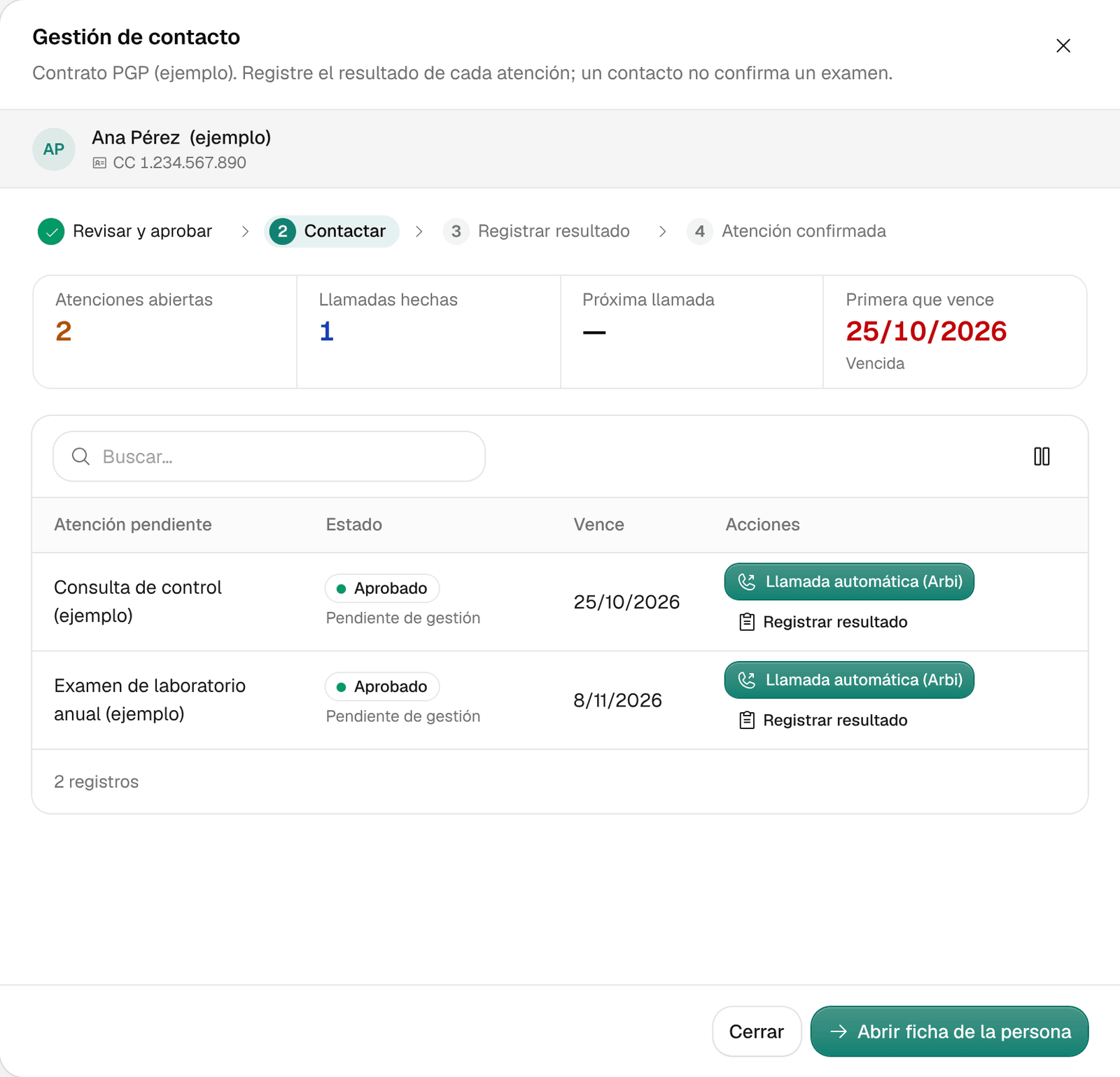
Click a person’s name to see their follow-up: Atenciones abiertas (open care items), Llamadas hechas (calls made), Próxima llamada (next call) and Primera que vence (first due), with the list of their care items. Abrir ficha de la persona (open the person’s record) takes you to their record.
-
If you’re going to handle it yourself, click Tomar gestión (take follow-up) in the Responsable (owner) column. While someone on the team holds the follow-up, the automatic contact is paused and the team keeps tracking the deadlines.
-
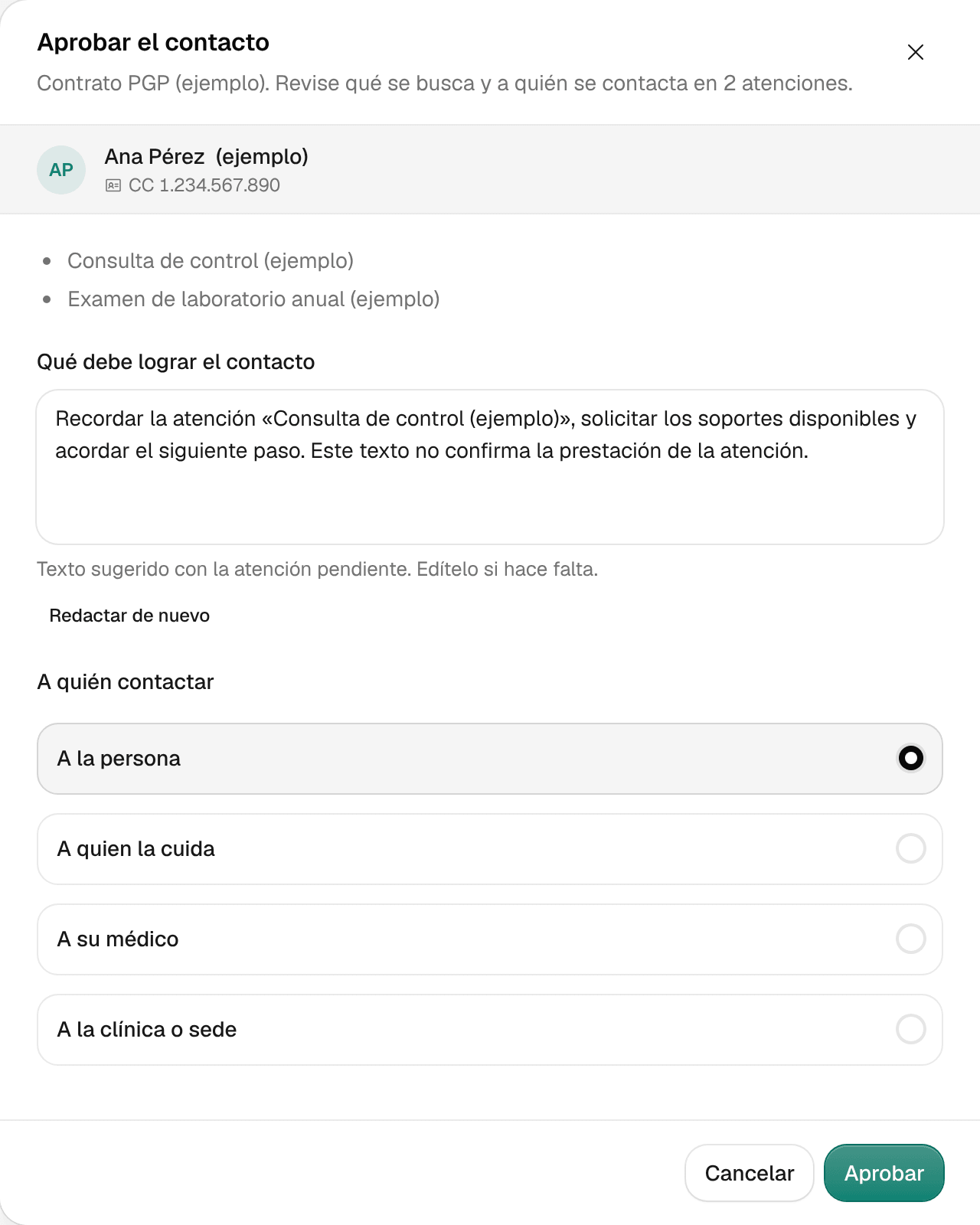
To approve the contact, click Revisar (review) in the row (for example, Revisar 2 atenciones). Aprobar el contacto (approve the contact) opens.
-
Read Qué debe lograr el contacto (what the contact must achieve). Ámbar suggests a text based on the pending care item; edit it if needed, or click Redactar de nuevo (draft again).
-
Under A quién contactar (who to contact), choose A la persona (the person), A quien la cuida (their caregiver), A su médico (their doctor) or A la clínica o sede (the clinic or site). If it isn’t the person, type the Nombre (name) and the Teléfono (phone) in international format with no spaces (fictional example: +575550142), or a Correo (opcional) (email).
-
Click Aprobar (approve). The follow-up moves to Por llamar.
-
Make the contact:
- If your team calls, make the call and log it in the record with Registrar › Llamada realizada (see Find a patient and review their record).
- If your organization has it, click Llamada automática (Arbi): Arbi calls the person on its own with the approved purpose and leaves the result in the follow-up. For several at once, select the rows in Por llamar, click Llamada automática (Arbi) a… and confirm with Iniciar… llamadas (start calls).
-
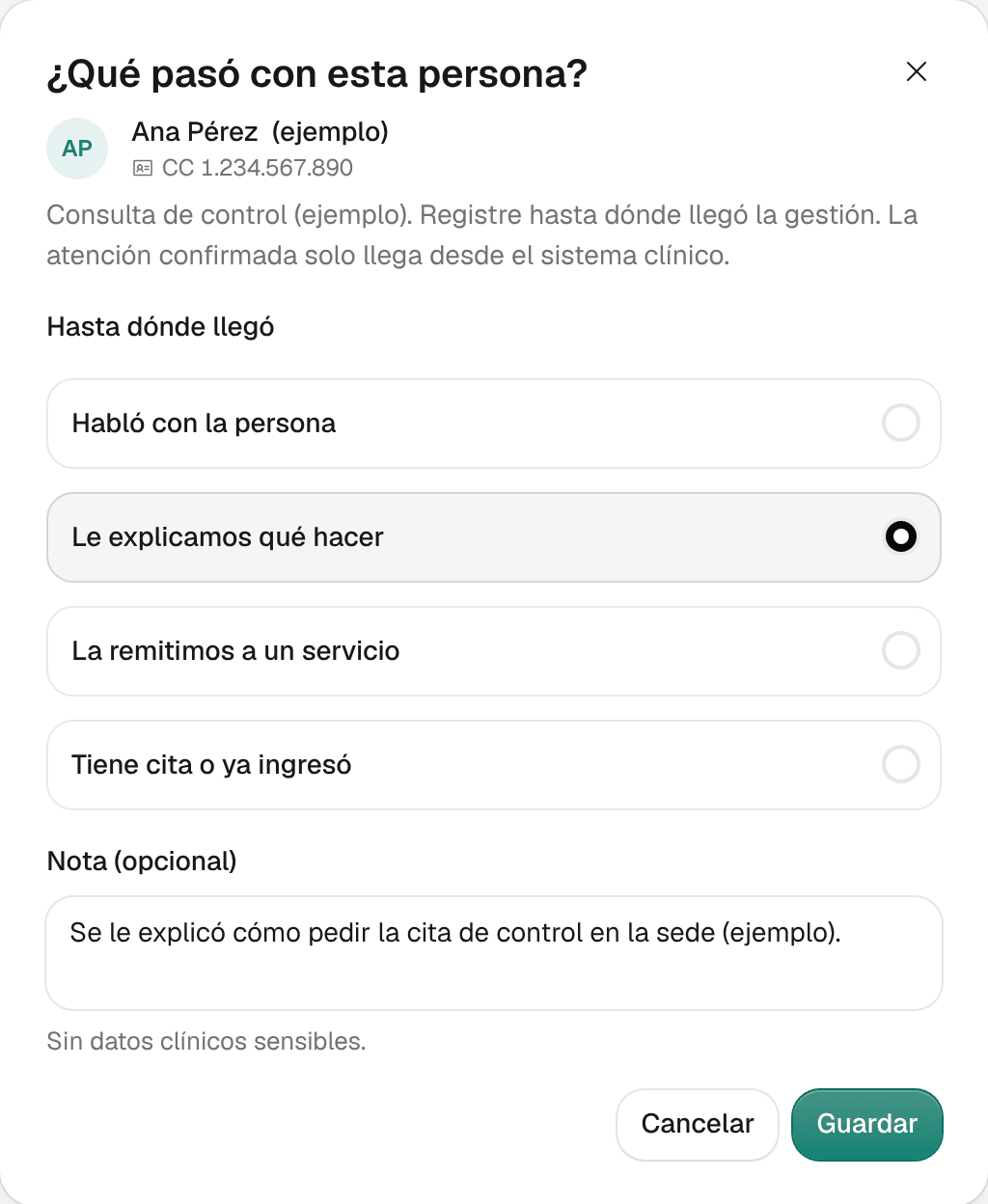
When you know how far it got, open the person’s follow-up and click Registrar resultado (record result) next to the care item. In ¿Qué pasó con esta persona? (what happened with this person?), choose under Hasta dónde llegó (how far it got): Habló con la persona (spoke with the person), Le explicamos qué hacer (we explained what to do), La remitimos a un servicio (we referred them to a service) or Tiene cita o ya ingresó (has an appointment or was already admitted).
-
If you want, add a Nota (opcional) (note) with no sensitive clinical data, and click Guardar (save).
What you see when you’re done
The follow-up moves along its path and changes lists: from Por revisar to Por llamar, then to En curso and, once completed, to Cerrados, where it stays as history.
Recording how far a follow-up got doesn’t confirm the care itself: confirmed care only comes from the clinical system.
Common problems
- The Aprobar button is disabled. Write what the contact must achieve. If you aren’t contacting the person themselves, fill in the name and a phone number in international format, or an email.
- Llamada automática (Arbi) is disabled. Ámbar says why below the button or when you hover over it. The most common reasons: the contact must be reviewed and approved first, a contact is already in progress, or someone else on the team holds the follow-up.
- It says «Todavía no se puede llamar» (can’t call yet). Something needed to contact the person is missing, such as a valid phone number. If Resolverlo (fix it) appears, click it to go and fix it.
- A follow-up says «Gestión abierta por el equipo» (opened by the team). It’s worked from the person’s record, with Gestionar caso (manage case).
- It says «Caso no encontrado» (case not found). The follow-up you opened from a link has changed. Look it up by the person’s name.