Arbol helps clinics and hospitals answer, schedule and follow up with their patients. It does so with several applications that share one account: you sign in once with your email and see only the applications you hold a role in.
The applications
| Application | What it’s for | Address |
|---|---|---|
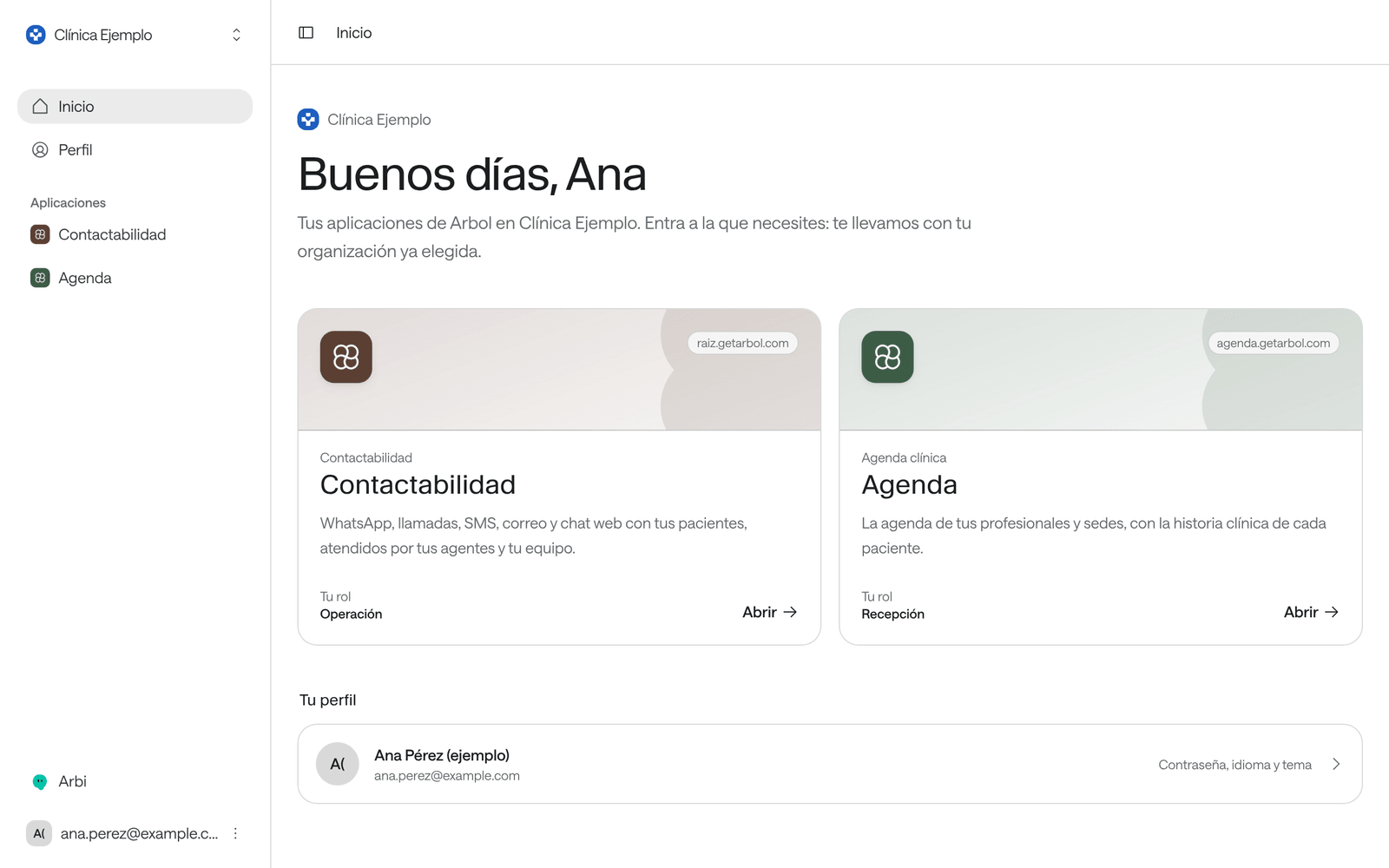
| Raíz | AI agents that answer your patients by phone, WhatsApp and web chat. Your team sees the conversations and steps in when a person is needed. In the application it’s called Contactabilidad. | raiz.getarbol.com |
| Agenda | Your professionals’ and sites’ schedules: booking, rescheduling and cancelling appointments, the waiting list and patients. | agenda.getarbol.com |
| Ámbar | Governance: cohorts, risk and priority for every patient, and the evidence for your contracts. It’s in early access. | ambar.getarbol.com |
| Account | Your organization’s administration: its team and their roles, its API keys, its billing and its integrations. Your profile is here too. | account.getarbol.com |
How it works
- Your organization is your clinic or hospital on Arbol. Everything you see in the applications belongs to it. You can belong to several organizations and choose which one you work in.
- One account for everything. You use the same email and password in every application. When you move from one to another through the menus, you usually aren’t asked to sign in again.
- Your role decides what you see. In each application you hold a role, such as Front desk in Agenda or Operations in Raíz. Whoever administers Arbol at your organization gives it to you. Without a role in an application, you don’t see it.
- Agents and your team work together. Raíz’s agents answer patients and can use the systems connected to your organization, such as Agenda, to check times or book. When a person is needed, your team carries on the conversation.
Your first day
Sign in to Arbol
Accept your invitation, sign in every day, switch organizations and sign out.
Roles and permissions
What each role allows in each application.
The applications and their addresses
Where each one lives and how to move between them.
Language and theme
Spanish or English, light or dark.
Get help
Who to ask and what to tell them.
When something goes wrong
The first steps after an error, and the most common problems.
AI at Arbol, in plain words
What an agent is, why it can be wrong and who decides.
Safe use and patients' data
What never to write, who sees what and how to report a wrong answer.
Privacy and data
What data Arbol keeps, who sees it, what the AI does with it and how to handle a patient’s requests about their data.
Glossary
The words you’ll see in Arbol.
If you’re a developer
If you’re connecting one of your organization’s systems to Arbol, start with Authentication.